











Day Hub™ - Dementia Reminder Clock

Day Hub™ - Dementia Reminder Clock

Helping you stay independent and keep track of your day

$199.99
Day Hub™ - Dementia Reminder Clock
+ -

We recommend this product for people who are in the early stages of their journey. If you're not sure if this is the right product for you, take our short quiz to find your stage.

Find Your Stage Quiz

  • Video Preview
  • Video Preview
  • Video Preview
  • Video Preview

Day Hub™ - Dementia Reminder Clock

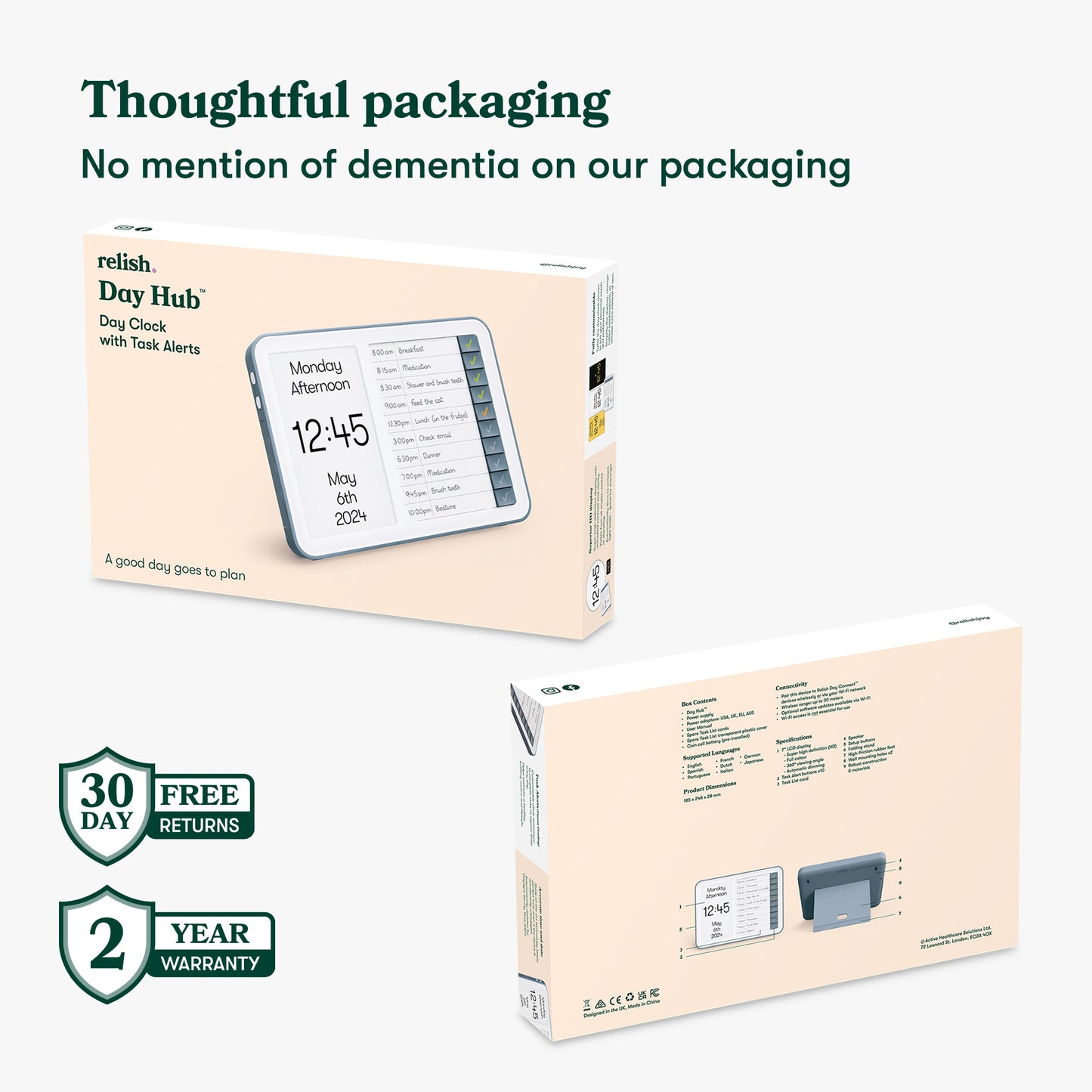
Free Returns

Return for free within 30 days

2 Year Warrenty

On electrical items

Free delivery

Over $35

Fast Delivery

2-3 working days

View full details

Day Hub™ - Dementia Reminder Clock

$199.99
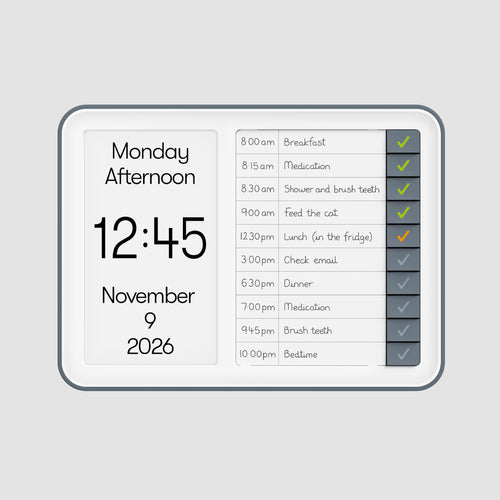
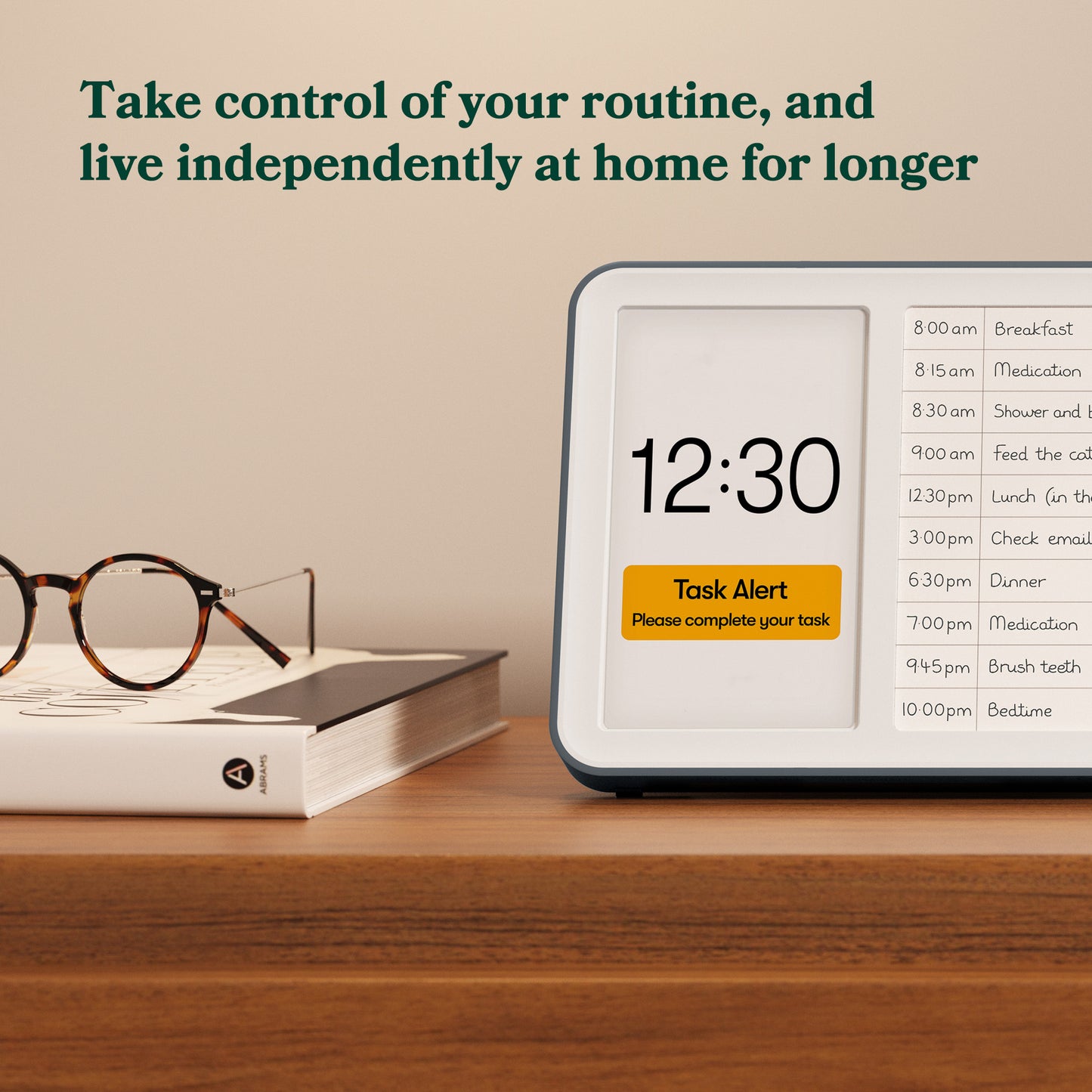
Day Hub dementia reminder clock displaying time, date, and daily schedule reminders, designed for Alzheimer's and those with dementia.|market_au_ca_dk_fi_fr_international_ie_it_nl_pt_es_se_gb_us

Why do I need a Day Hub?

Dementia affects independence

Dementia can make it hard to follow routines, remember meals, drinks, medication, and keep track of time.
It can make daily life harder, leading to a loss of autonomy and confidence, and limiting independence.

Finding ways to support daily self-care is a big challenge

A dementia diagnosis can feel overwhelming for everyone. The Day Hub helps support self-care while preserving independence, giving reassurance for both you and your loved ones.

A research study found...

83% of people with dementia have difficulty managing daily schedules and keeping track of time.

- Sano M, et al. (2024). Int Psychogeriatr, 36(4), 238–250

0%

Designed to help

Why are dementia clocks helpful?

+ -

Disorientation can lead to repeating or neglecting tasks, leading to feelings of anxiety for individuals with dementia and their loved ones. Dementia clocks provide clear visual cues about the time, day, and date, which helps with orientation and daily structure.

Why is the Day Hub better?

+ -

The Day Hub integrates a dementia clock, task tracking, and audio alerts to support daily routines. This means tasks can be completed independently, boosting self-esteem and lessening dependence on loved ones.

How does it help to maintain routine?

+ -

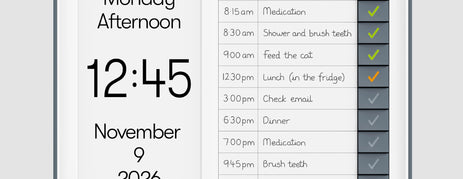
When a task is due, a Task Alert sounds, a visual appears, and its button flashes orange, indicating what task to complete. Pressing the button stops the alert and turns the tick green. The user can see what tasks they have completed at the end of each day, providing reassurance that they have maintained their routine.

How can it provide peace of mind?

+ -

Having a dependable home system like the Day Hub lightens the mental load, provides relief, and supports maintaining daily routines for both the person with dementia and their loved ones.

Boost Daily Independence in 5 Easy Steps with the Day Hub

  1. First, select the display and language options that suit you best. Includes 8 languages, 4 x color choices, 12hr or 24hr clock, and customizable date display.

  2. Write in your Task List with things you do everyday; breakfast, brushing teeth, medication, daily walk...

  3. When you setup your Day Hub, you can input the times of your tasks, and get audible and visuals alerts everyday.

  4. When your daily alerts sound, press the Task List buttons to mark as done, and review your progress at the end of each day. Green ticks display completed tasks, and orange ticks show missed tasks. The Day Hub resets automatically each night for a fresh start.

  5. The Day Hub keeps you on track, and provides reassurance that you've completed your daily routine. Building confidence with every use.

More powerful as a network

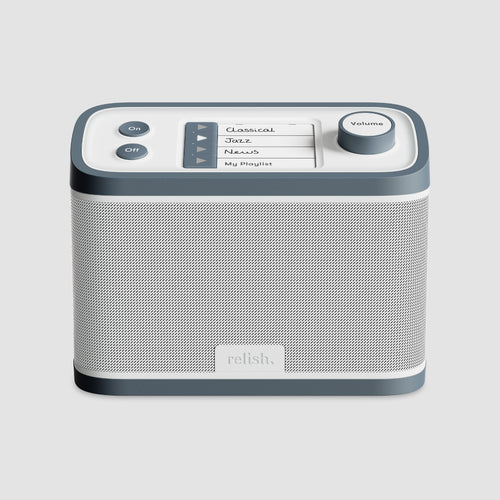
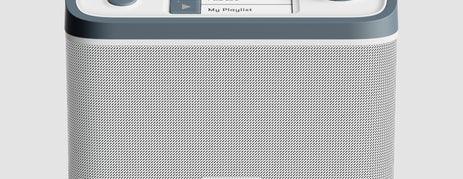
Pair the Day Hub with a Day Connect to have Task Alerts sound in multiple rooms. Ensuring you never miss a reminder, no matter where you are in your home.

Works with and without Wi-Fi.

How the Day Hub compares

Generic Day Clock

Generic Day Clock

  • No task management system
  • Not designed for dementia
  • No task reminders
  • Does not update for daylight savings
  • Loses time when unplugged
  • Limited display options
  • Screen glare from the side
relish Day Hub

Day Hub

  • Mark your tasks off as completed through the day
  • Designed for dementia
  • Personalized task reminders
  • Automatically updates for daylight savings
  • Remembers settings when unplugged
  • Customizable display settings
  • Screen is visible from all angles
Calendar Diaries

Calendar Diaries

  • No way of knowing if the task has been completed
  • Dementia specific sometimes available
  • No space for more than one daily reminder
  • Not time specific
  • Easy to miss or forget about
  • No time alert for the reminder
  • Only visible up close
Post it Notes

Post it Notes

  • No way of knowing if the task has been completed
  • Not designed for dementia
  • No limit to reminders which can be overwhelming!
  • Not time specified
  • Easy to miss or forget about
  • No time alert for the reminder
  • Only visible up close

What's in the box

  1. Day Hub
  2. Power supply
  3. Power adaptors: USA, UK, EU, AUS
  4. User manual
  5. Spare Task List cards
  6. Transparent plastic cover

Collapsible content

Screen & Display

+ -
  • Product dimensions:
    H18.3cm x W24.7cm x D2.7cm
    H7.2 x W9.7 x 1.1D
  • Material: plastic
  • 7” LCD display
  • High definition display (HD)
  • 180 degree viewing angle
  • x4 Display color combinations: (White Text & Black Background, Yellow Text & Black Background, Black Text & White Background, Black Text & Yellow Background)
  • Clock display: 12 or 24 hour
  • Automatic dimming

Product Information & Product Specifications

+ -
  • Wifi connectivity (works with or without wifi)
  • Power cable: 1.85m
  • Task Alert buttons x10
  • Folding stand
  • High-friction rubber feet
  • Wall mounting holes x2
  • Language Options: English, German, Spanish, French, Italian, Dutch, Portuguese, Japanese

Warranty & Returns

+ -

We want you to feel confident that our products are right for you or your loved one. That’s why we offer free, no-hassle returns within 30 days if you’re not completely satisfied with your order.

Simply visit our Returns Portal and follow the easy steps to arrange your free return.

All our electronic products also include a 2-year warranty for added peace of mind.

Delivery Details

+ -

All products dispatched from the US

Standard Delivery via USPS: 3-5 working days $3.99 or free on orders over $35

Standard Delivery via UPS: 3-5 working days $7.99

Express Delivery via USPS: 2-3 working days - $9.99

Deliveries to Alaska, Hawaii and oversea territories may take longer (between 5-10 days) 

Download manual

+ -

Click here to view the Day Hub manual: View Day Hub manual

Collapsible content

Thoughtfully designed without a touchscreen

+ -

We found from our research that some people living with dementia are less comfortable with high tech products. We therefore chose not to use a touchscreen for the Day Hub and Day Connect to keep the product simple and accessible for more people. It also minimizes the risk of unintended changes after the initial setup, offering a more reliable and consistent experience.

Why we chose to keep tasks the same each day

+ -

Studies demonstrated that predictable daily routines significantly boost independence, which was a central finding that guided the Day Hub's design. Conversations with loved ones also revealed that while non-daily events are often planned with support, less help is available for helping managing essential daily tasks (eating, hygiene, hydration). We address this gap by focusing on these core, daily activities.

Our reason for a simple, handwritten Task List

+ -

The Day Hub's handwritten list avoids digital complexity, and offers tailored, specific reminders, difficult to replicate digitally. They are also easier to read across dementia stages, free from screen glare, reflections, and shadows. Testing revealed paper lists are less intimidating, making setup easier and more personal with familiar handwriting.

Frequently Asked Questions

Do you have a digital copy of the product manuals?

+ -

Yes we do!

Click here to view the Day Hub manual: View Day Hub manual

Is it possible to remotely access the Day Hub™ for task input and modifications?

+ -

Currently, remote access to the Day Hub™ is not available.

Can I also input weekly appointments?

+ -

No, the Day Hub™ is not intended for managing appointments or events that occur on a weekly or monthly basis. Once the routine times are set, the Day Hub™ will help the person keep track of their essential daily activities, supporting a healthy, fulfilling and more independent lifestyle.

When does the display transition from night to morning?

+ -

If you choose to have a text display, the time ranges will be as follows:

Morning (04:00-11:59)

Afternoon (12:00-17:59)

Evening (18:00-21:59)

Night (22:00-03:59)

If you choose the icons, the time ranges will be as follows:

Sun: 06.00 - 17.59

Moon: 18.00 - 05.59

These times are set and are not able to be customised.

Do the clocks require WiFi to work?

+ -

No, the clocks can be used with or without WiFi and still maintain accurate time.

What happens if WiFi is disconnected?

+ -

In the absence of WiFi connectivity, your reminder clock will continue functioning through wireless technology. Upon the restoration of WiFi, the clocks will re-establish a connection automatically.

What size is the text on the display and can this be made larger/smaller?

+ -

The text on the device measures as follows:

Height of time - around 27mm. Additional details - around 11.5mm. These are on a high-quality LCD display.

The text size cannot be altered. However, there is a choice of optimum color ranges which are also suitable for those who have visual difficulties. These are as follows:

White Text on Black Background

Black Text on White Background

Yellow Text on Black Background

Black Text on Yellow Background

The screen has the added benefit that it is visible from all angles, seated or standing.

How are Task Alerts inputted into the Day Hub™?

+ -

When you reach the step for entering task alerts, detach the task list card from the hub. (Consider jotting down the times on a scrap piece of paper initially.) Record the times for the tasks you intend to set on the card along with the corresponding activities, such as taking medication, having lunch, or walking the dog.

Proceed to configure the times on your hub as instructed. After completing this step, reattach your task list card to the hub. Verify that the task alert times align with the list on the card. Once confirmed, you can complete the setup process.

What comes with the Day Hub­™ as standard?

+ -
  • 1 Day Hub
  • 1 x Power Supply Lead
  • Power Adapters, US, UK, EU and AUS
  • English User Manual
  • Multi Language Manual
  • 5 Task List Cards
  • 1 Task List transparent plastic cover
  • Coin Cell battery (pre-installed)

What happens if I miss an alert? If I go out or go to bed early, for example.

+ -

If you miss an alert, the tick button for the relevant task will glow orange, informing you that the task is incomplete. This gives you the opportunity to complete the task later on in the day. In the case of going to bed early, that task/s will be reset overnight and not completed.

What happens in the event of loss of power?

+ -

If the device loses power, the installed battery will save your settings. Once power is restored, all the settings will resume*.

What do I do if I want to complete a task before the alarm sounds?

+ -

If you finish a task before the alert sounds, you can mark it as completed, and it will turn green. That Task Alert will not activate.

What happens if all the buttons are pressed before the Task Alerts have sounded?

+ -

This action will indicate that each task has been completed. They will need to be unticked to allow the Task Alert to sound at the designated time.

Can I have the Day Hub on its own?

+ -

The Day Hub can be used on its own with the core functionality to enable more independence. By connecting to the Day Connect, you can be alerted to tasks in different rooms in the house.

Do the Day Range devices run on batteries?

+ -

No, the products require a power adapter. However, there is a battery which will provide a backup if the product is unplugged and data will not be lost. This should not be relied on to power the device for regular use.

What languages are supported?

+ -

The Day Range devices can be used in English, French, Spanish, Portuguese, Japanese, German and Dutch.

How long is the power cord?

+ -

This measures 185cm/73".

Will the devices keep accurate time?

+ -

The Day Range devices use advanced technology to ensure they keep accurate time and date. It automatically updates to the correct date and year - even if accidentally unplugged for weeks at a time.

How do the Day Hub™ and Day Connect™ Pair together?

+ -

The Day Connect™ and Day Hub™ can be paired with or without a WiFi connection. On the Day Connect™, press the menu button, then scroll to "Pairing and unpairing devices" and press the OK button on the side. It will then guide you on how to pair the devices together using just a few steps.

For additional time orientation options beyond the Day Hub, explore our
complete dementia clock range with various features to suit different
needs. Browse the full dementia clock range here.

Can you tell me more about the Task Alerts and how these work?

+ -

Once set up, Task Alerts will sound on this device at the same times every day, helping you keep to a regular routine.

1. When a task is due for completion, the corresponding Task Button will flash orange, and an audible alert will sound.

2. When you complete the task, press the Task Button to mark it as completed.

3. It will then glow green, giving you a visual record of which tasks have been completed that day. (Uncompleted tasks will continue to glow orange).

Please refer to the Day Hub manual for further information and guidance on how to set up task alerts.

Can caregivers input tasks remotely?

+ -

The current design requires tasks to be input directly on the device. There is no remote access feature for caregivers.

Is the device portable or does it require a fixed location?

+ -

The Relish Day Hub™ is designed for flexibility. It can be placed on a tabletop for easy access or mounted on a wall using built-in mounting holes for a fixed location. While it is lightweight and can be moved around the home if needed, it does require a power connection to function, so placement should be near a power outlet.

Customer Reviews